Look, I’ve been doing this since QuarkXPress roamed the earth and fonts came on squeaky CDs. I love craft. I also love not wasting my life on 37 identical exports while a PM types “gentle nudge :)”. If you still romanticize slow, congratulations on your artisanal bottleneck. The rest of us use instant design tools because the clock is undefeated and clients like “done” more than “precious.”
What “Instant” Really Means (Spoiler: not “auto-gen genius”)
“Instant” isn’t a magic wand. It’s a ruthless stack: model-assisted defaults to skip the boring scaffolding; speed-focused design tools to kill repetitive steps; and muscle memory from a designer who’s been yelled at enough times to hear kerning in his sleep. Instant means fewer decisions per deliverable, fewer clicks per export, and zero time explaining why a flat label “will totally look great on a bottle, trust me.”
Want the bigger picture on why this shift happened? Read about the new era of fast workflows in AI design tools that power instant design.
The Hidden Tax of “I’ll Just Do It Manually”
Let me itemize the crimes against time:
- Context switching: Figma → Photoshop → asset graveyard → back again. Every hop is a paper cut; your day dies by a thousand.
- Template amnesia: “Where’s that header system from March?” In Final_v9_reallyFINAL_(3).psd. Obviously.
- Manual mockups: If you’re still warping smart objects like it’s 2014, you’re not a purist - you’re the reason standups run long.
Pro rule from the grumpy school of efficiency: if a step adds no judgment, ship it to the machine. If you need a quick start without opening your wallet, grab something from free design resources and stop pretending scarcity is a personality.
The 15-Minute Build That Used to Take Your Afternoon
Here’s the drill - hero image, two social cutdowns, one packaging preview, all exports:
- Grab a smart template (not the cookie-cutter junk; the kind with type scales and spacing tokens baked in).
- Swap brand colors and lock the grid.
- Generate three headline variants (eight words max, no “disrupt,” no “delight”).
- Drop the final art into contextual scenes with your rapid design software - box, shirt, phone.
- Export the full zoo of sizes in one pass with sane file names.
Old way: 2–4 hours plus a spiral into perfectionism. New way: 12–25 minutes and you still have time to be fussy about hierarchy - where it actually matters.
Speed-Focused Design Tools: What Matters, What’s Marketing
You don’t need 400 features; you need these five:
- Brand tokens baked-in: Colors, type, spacing, grid. If it can drift, it will.
- Template coverage for real work: Social, ads, email, hero, OOH. Missing a surface? You’ll backslide to manual.
- One-click realistic previews: Apparel, packaging, devices. Perspective and lighting should be passable without sorcery.
- Variant generation with constraints: Channels, audiences, A/B combos - without the click Olympics.
- Bulk export & naming: Because the last mile is where good intentions go to die.
If a tool can’t reduce clicks or decisions, it’s not “instant” - it’s a demo video in a trench coat. For a neutral, practitioner-first reality check, bookmark AI design tools: what actually helps (NN/g).
The Grizzled Vet’s Buying Guide (Best Instant Design Tools 2026… minus the fluff)
Everybody wants a list. Fine - here’s how I judge the best instant design tools 2026 without selling my soul:
- Minutes saved per deliverable: Stopwatch, not vibes.
- Damage containment: Can a sales intern open it and not destroy your brand?
- Interoperability: SVG/PSD/Figma flow. If it traps you, it’s a cage, not a tool.
- Preview integrity: Does the mockup lighting look like Earth physics or a basement rave?
- Team sanity: Roles, versioning, rollback - say no to “who overwrote the logo lockup.”
Want numbers (not guru tweets)? See Adobe’s data-backed recap: Creatives ship more, faster with genAI (Adobe data).
“But Craft!” - My Favorite Excuse from 22-Year-Old Me
I love craft so much I’d like to keep it for the parts that deserve it: concept, hierarchy, voice. You know, judgment. The rest? Automate. No client has ever cried happy tears because you manually nudged 18 export sizes. They cry when the campaign lands and sales go brrr. Instant isn’t anti-craft; it’s anti-busywork.
If you suspect your process is the real problem (not the deadline), here’s a practical teardown on fixing slow design processes so you stop confusing suffering with professionalism.
For the why-behind-the-why, zoom out with How creative work adapts to GenAI (WEF) - speed wins, but governance and guardrails keep you from shipping chaos.
How Instant Design Tools Actually Work (Without Fairy Dust)
Let’s pull back the curtain for the “how instant design tools work” crowd:
- Model-assisted defaults: The tool isn’t “creative,” it’s opinionated about baselines - type scales, spacing, contrast. Like an invisible senior who murmurs “no, not that.”
- Constraint-first templates: You bring the idea; the system brings guardrails. Outcome: faster good choices, fewer bad ones.
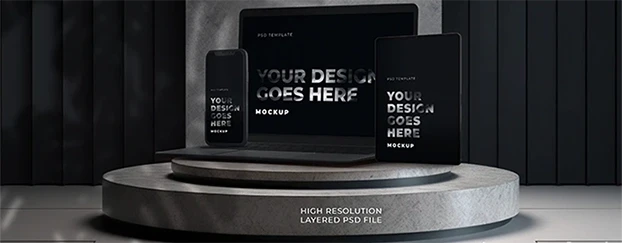
- Context-aware mockups: Realistic surfaces and plausible light so your comp doesn’t look like it was photographed on the moon - see device mockups when you need believable screens without a photoshoot.
- Variant matrices: Channel × Audience × Placement served up without the click Olympics.
- Governance: Tokens and roles keep deliverables on-brand, even when the intern gets curious.
Do I still tweak? Of course. But now I’m tweaking intent, not fighting gravity.
The Junior Designer Rant I Give Every Quarter
Dear juniors: being fast isn’t selling out. It’s being employable. Stop taking pride in avoidable pain. Learn the AI tools for quick creative delivery and then use that time to make better decisions. Taste beats toil. Judgment beats Jamboard.
Seasonal sprint coming up? Start from a strong seasonal promo template, then lock tokens and edit like a tyrant - this Holiday Winter AI Template - Christmas Tree, Gold Balls is a good base you can bend to your brand in minutes.
A Blunt Mini-Playbook (Use, Don’t Frame)
- Start with a system, not a blank file.
- Lock tokens before color playtime.
- Generate options, then edit like a jerk (your future self will thank you).
- Preview in-context early - saves rounds, saves ego.
- Ship, learn, iterate. The audience is your art director now.
FAQ (real questions designers actually ask)
1) “Will instant tools make my work look generic?”
Only if you let them. Templates are a starting grid, not the finish line. Lock brand tokens (type, color, spacing), swap default components for your own, and edit like a tyrant. If a layout survives your taste test, it’s yours - if it still screams “template,” iterate. Instant ≠ identical; lazy does.
2) “How do I keep speed without the intern nuking our brand?”
Governance. Use tools with brand tokens, role permissions, and component locking. Give the team guardrails (pre-approved templates, text styles, export presets). Juniors can move fast inside the sandbox; seniors keep the gates. You get velocity without visual drift.
3) “When should I not use instant tools?”
If the brief hinges on a novel visual language, complex type systems, or delicate art direction (editorial spreads, high-end identity), start manual and systematize after the look exists. Instant tools are for repeatable surfaces and variants - concept and signature style still need your hands on the wheel.

Final Word from the Old Man with Too Many Shortcuts
Instant design tools don’t make you a worse designer. They make you the designer who still has energy left to think. The job isn’t pushing pixels; it’s pushing outcomes. Use instant creative tools to bulldoze the chores, fast mockup tools to show reality instead of theory, and rapid design software to keep pace with a world that laughs at “net 30.” If you can move a project from hours to minutes without dumbing it down, that’s not cheating - that’s craft growing up.
Ready to put your time where it actually matters? See pricing and stop treating efficiency like a moral failing.