There comes a point in every designer’s career when you stop asking, “Does this look good?” and start asking, “Will this come back to bite me in a client email six months from now?”
That’s the real issue in the PSD vs AI mockups discussion.
Not speed.
Not novelty.
Not whether the preview looks slick enough to impress a marketing manager who says things like “make it premium but playful” as if that means anything.
The actual question is whether the asset you’re using can survive commercial scrutiny.
Because once money changes hands, mockups stop being harmless presentation files. They become part of a business deliverable.
And that means licensing, traceability, and proof of rights suddenly matter a lot more than your excitement about shaving 20 minutes off a workflow.
What designers actually mean when they say “PSD vs AI mockups”
Before talking about risk, it helps to clarify what designers usually mean when comparing these two.
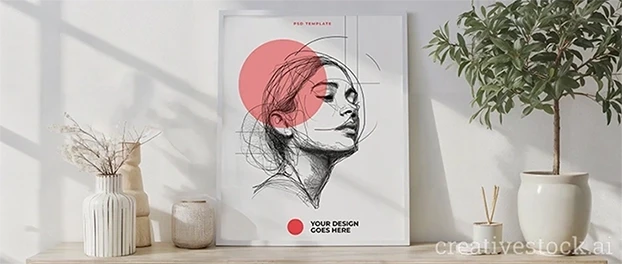
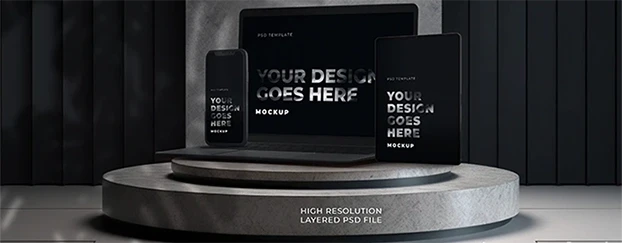
A PSD mockup typically refers to a layered Photoshop file with smart objects that allow you to place your design into a realistic scene. These files are usually distributed through stock marketplaces or design shops and come with a defined license.
An AI mockup, in contrast, is typically generated using a generative model or AI platform. Sometimes it’s sold through marketplaces, sometimes generated directly through software, and sometimes shared without clear authorship.
From a workflow perspective, both formats can produce convincing visuals.
From a commercial responsibility perspective, however, they behave very differently.
That difference is what designers tend to underestimate when discussing psd vs ai mockups in professional client work.
PSD mockups feel boring. That’s exactly why they’re often safer.
PSD mockups are rarely exciting.
Nobody is enthusiastically tweeting about a layered smart object file.
But when you’re doing paid client work, boring tends to be an advantage.
A typical PSD mockup comes with:
- a documented creator
- a marketplace listing
- written licensing terms
- proof of purchase or download
That combination creates something professionals value highly: traceability.
If a client, agency, or legal team asks where an asset came from, you can point to the source and the license instead of improvising explanations that sound increasingly creative under pressure.
The real risk is not AI. The risk is undocumented assets.
AI mockups are not automatically unsafe.
Many platforms sell AI-generated scenes under commercial licenses. Some providers document authorship and usage rights properly.
The real issue appears when designers treat AI assets like rights-free magic.
That’s when the AI mockups commercial use risk begins.
And at that point, there’s a question every professional designer should be willing to ask:
Am I using AI mockups because they’re efficient - or because I’m ignoring risk I can’t explain?
If you cannot clearly explain the origin of an asset or the license that covers it, efficiency stops being a professional argument.
“It saved time” is not licensing language.
If you want a deeper breakdown of how commercial rights apply to generative visuals, read this legal guide to using AI mockups in commercial client work.
Licensing clarity is what actually determines safety
When designers ask which mockup format is safer, they often focus on realism, detail, or workflow convenience.
That’s the wrong comparison.
The safest asset in commercial work is not the most beautiful one.
It’s the one with the clearest licensing structure.
Before using any mockup commercially, you should be able to answer a few basic questions:
- Where did this asset originate?
- What license covers it?
- Does that license allow commercial client work?
- Can it appear in advertising, ecommerce, or campaigns?
- Do you have proof of the license?
If you can answer those questions easily, the asset is probably safe enough.
If you cannot, the file format becomes irrelevant.
A beautiful asset with vague rights is simply a liability with good lighting.
For a neutral overview of how copyright applies to creative assets, Stanford’s copyright basics for creative work provides a useful explanation.
Clients care about exposure, not your workflow
Designers enjoy discussing tools.
Clients care about risk.
If you work with agencies, startups, ecommerce brands, or funded companies, someone will eventually ask a simple question:
Can you prove the rights to the assets used in this presentation?
Usually the proof is straightforward:
- license documentation
- a purchase receipt
- a marketplace listing
- download confirmation
Nothing dramatic.
But when assets come from unclear sources, even a simple request becomes uncomfortable.
If you want to understand where those risks appear in real projects, this breakdown of legal risks when using AI mockups in client work explains the issue in detail.
So are PSD mockups safer than AI mockups?
In many real-world situations, yes.
But not because PSD files are inherently better.
They are simply more likely to come with structured licensing:
- identifiable creators
- marketplace distribution
- established commercial terms
- documented purchase history
However, format alone does not determine safety.
A well-licensed AI mockup from a reputable provider can be perfectly acceptable for commercial work.
Meanwhile, a random PSD downloaded from a design dump with no license attached can be just as risky.
The real comparison is not PSD vs AI.
It’s documented asset vs undocumented asset.
A simple safety filter for client work
Before sending any mockup into a commercial project, run it through a quick professional filter.
1. Verify the source
Was the asset obtained from a legitimate marketplace or provider?
2. Read the license
Does the license clearly allow commercial client work?
3. Save the documentation
Keep receipts, license screenshots, and the original source page.
4. Avoid vague asset origins
If the source cannot clearly explain licensing rights, treat the asset as unsafe.
5. Match asset risk to client risk
Internal concept deck? Lower exposure.
National campaign or product launch? Use assets with the clearest documentation possible.
For a deeper explanation of how commercial licensing works for design assets, this article explains mockup licensing for commercial use step by step.
The smartest workflow is not anti-AI. It’s anti-denial.
AI tools can absolutely improve design workflows.
They help generate ideas, test scenes quickly, and remove tedious production steps.
But speed does not remove responsibility.
The safest workflow for client work is simple:
- use AI assets when licensing is explicit
- rely on PSD mockups when you need predictable documentation
- never send commercial work using assets whose origin you cannot explain
If you want to browse collections where licensing is already structured and consistent, you can explore curated commercial mockup categories for designers.
The goal is not to avoid AI.
The goal is to avoid licensing ambiguity.

FAQ
What is the biggest legal difference between PSD and AI mockups?
The main difference is licensing clarity. PSD mockups are typically distributed through marketplaces with defined commercial licenses and documented authorship. AI mockups can also be safe when the provider clearly grants commercial rights, but licensing structures vary widely depending on the source.
What proof of rights should designers keep before using a mockup?
Designers should keep the purchase receipt, the product page, the license terms active at the time of download, and a record of where the asset was obtained. This documentation creates a clear audit trail if a client or legal team asks questions later.
For additional guidance on licensing and copyright rules, the U.S. Copyright Office provides an official explanation in their copyright FAQ for creative works.
Can AI mockups still be used safely in commercial work?
Yes, provided the provider clearly grants commercial rights and you retain proof of the license. The risk appears when designers rely on assets whose origin or usage terms cannot be verified.
Final takeaway
If your mockup is entering paid client work, the safest option is almost always the one with the clearest documentation.
Right now, that still often means PSD mockups.
Not because AI tools are unreliable.
But because ambiguity is.
Commercial design work is not about looking futuristic. It’s about being able to prove you understood the licensing behind the assets you used.
And if you want mockups built specifically for commercial design workflows, you can review the available licensing options and asset access on the CreativeStock mockup pricing page.