If your process still limps through endless rounds and moodboards-for-vibes, the market already lapped you. AI design tools are the shift: ideas move from concept to client-ready in hours, not weeks. No, that doesn’t kill taste - it starves the busywork and lets judgment lead. Instant beats slow, every day that ends in “y.”
What Is “Instant Design”? (and why it’s not a fad)
Instant design is a workflow philosophy with teeth: compress setup, production, and iteration so creativity moves at business speed. It rose because channels multiplied, timelines shrank, and nobody wants to pay for you resizing the same asset twelve times.
Core traits
- Fast starts: quality bases and instant design tools replace the blank-canvas panic.
- Context early: realistic previews beat flat comps (if your mockups still live in PDFs, that’s archaeology).
- Iteration velocity: more variants in one sitting than a “traditional” week.
- Outcome focus: decisions made in-channel, not in theory.
Start from something good, not from nothing. Your wrist and your deadline will notice.
The Instant Toolkit: AI-Powered Pieces That Actually Save Time
You don’t need 27 apps - you need a stack that cuts steps. Tool sprawl invites context switching, and context switching quietly taxes your brain and output (see APA on switching costs and productivity).
- Templates & layout systems: polished, editable bases for social, ads, decks, print.
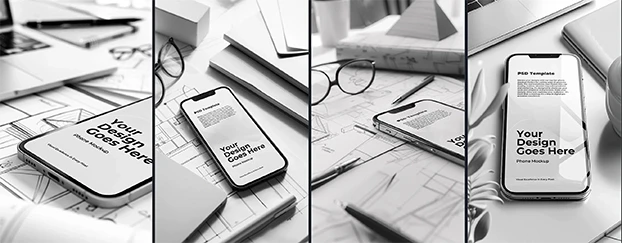
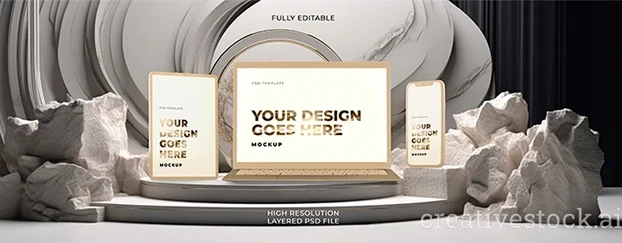
- Mockup & context engines: packaging, apparel, signage, device-in-hand - believable light and perspective included.
- Brand kits & consistency: palettes, type scales, spacing, tokens - shared rules speed you up. If you need a primer on why consolidation matters, see AI-powered design systems improving speed & workflow.
- Creative workflow automation: one pass to resize, reformat, and version; approvals with context, not guesswork.
- QA & export: channel-correct sizes and rights-safe outputs without ritualistic fiddling.
Pick the tools that reduce window-switching. If a tool adds steps, it’s not helping; it’s a hobby.
The AI Design Workflow: Brief to Delivery (in hours, not heroics)
- Direction (15–30 min): clarify audience, channel, success metric.
- Jumpstart (≤15 min): choose a relevant base; apply brand kit.
- Context (15–30 min): generate realistic AI mockups “in the wild.”
- Variant sprint (30–60 min): 3–5 contrasted hypotheses (color, message, composition).
- Feedback in context (≤30 min): stakeholders judge reality, not imagination.
- Polish & export (30–60 min): channel-specific outputs, done.
That’s a real AI design workflow. Less ceremony, more decisions - with receipts.
Traditional vs. Instant: The Before/After You Can Feel
- Time to first concept: 2–5 days → 30–90 minutes
- Variants per round: 1–2 → 5–12
- Approval friction: “Meetings about meetings” → Context previews; pick and ship
- Cost per asset: High (from scratch) → Lower (reuse + automation)
- Designer energy: Burned on production → Spent on judgment
Translation: same taste, more swings at bat.

Best AI Design Tools for Speed: What to Look For (no fluff)
If speed matters, judge tools on:
- Quality starting points: professional polish out of the box.
- Editability & brand control: type, color, spacing that behave like a system.
- Context realism: shadows/materials that sell the idea to non-designers.
- Breadth of formats: social, print, product, pitch - without app-hopping.
- Export fidelity: crisp outputs, correct specs, clean licensing.
This is how you find the best AI design tools for speed - not the loudest marketing page.
Creative Workflow Automation That Still Feels Human
Automation should delete sludge, not taste:
- Hunting → surfaced options: curated bases beat scavenging.
- Manual resizing → instant formats: one design; all placements.
- File ping-pong → visual approvals: annotate on lifelike previews.
- Version chaos → named hypotheses: “Product-first,” “Color-led,” “Social-native.”
That’s creative workflow automation doing its job. Your eye stays in charge.
Fast Design Processes (for teams that can’t babysit files)
- Default sprint (60–90 min): assemble base, create 3–5 variants, mock up in context, select a winner.
- Guardrails, not handcuffs: brand kits + grid rules; creativity where it actually counts.
- Two rounds, max: velocity forces clarity; endless rounds force burnout.
- Measure it: time saved, variants tested, approval speed, performance lift.
Make fast design processes the norm; watch meetings mysteriously shrink.
Instant Design Workflows for Creatives: A 30/60/90 Playbook
- 30 minutes: define narrative, choose template, apply brand.
- 60 minutes: spin 3–5 versions; place each in a believable AI mockup.
- 90 minutes: run a tight review, pick a route, schedule one refinement pass.
It’s the on-ramp for instant design workflows for creatives who like results more than lore.
How AI Accelerates Design Work (without turning you into a robot)
AI multiplies exploration. You keep judgment. That’s the deal.
- A/B/C in one sitting: color, hierarchy, messaging - tested, not theorized.
- What-ifs on demand: the experiments you never had time for.
- Clearer stakeholder chats: context previews beat “trust the process.”
If you’re worried outputs will all look the same, that’s a user problem - stop shipping defaults. Use your brand kit and taste - template is a floor, not a ceiling.
Design Tools That Cut Work Time: The Ruthless Checklist
Adopt a tool only if it checks these boxes:
- Client-ready mockup in < 2 hours
- Revisions down because context is up
- Exports are channel-correct without tinkering
- Non-designers can judge options quickly
Miss two or more and it’s novelty. Next.
AI Tools for Fast Client Deliverables: The Business Case
Clients experience speed as confidence. With AI tools for fast client deliverables you get:
- Progress early: believable previews calm nerves.
- Structured choices: curated routes, not infinite tweaks.
- Less risk: more tests pre-launch.
- Healthier margins: fewer hours burned on production rituals.
Speed isn’t showing off. It’s being hireable again.
Risks, Quality, and Governance (so speed doesn’t bite you)
- Brand drift: lock palettes, type scales, spacing. Guardrails aren’t bureaucracy; they’re how you avoid “AI default blue” becoming your brand.
- Over-automation: schedule a human pass for hierarchy, rhythm, and tone.
- Licensing & rights: verify usage, every time.
- Bias/realism: review people, products, and environments for accuracy and inclusion.
- Source of truth: store components, decisions, and the metrics that proved them.
Fast is only impressive when it’s correct.

KPIs That Prove the Instant Shift (because feelings aren’t data)
Track: time to first concept (≤90 min), variants per round (5–12), approval turnaround (≤24h), production hours per asset (down), and, where applicable, campaign lift (CTR/CVR up). When the numbers improve, the debate ends.
Final Thought
Keep the taste, ditch the chores. AI design tools don’t replace designers; they replace the parts of design nobody will miss. If your workflow still moves at committee speed, that’s a choice - not a constraint. Choose instant - and if you’re serious about cutting hours into minutes, check pricing and get your stack working for you.