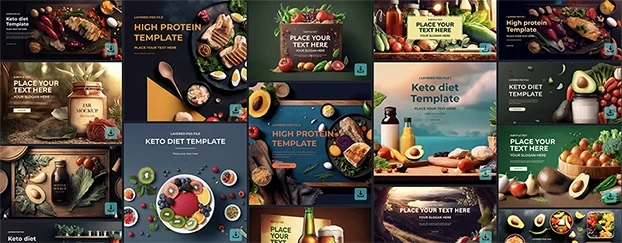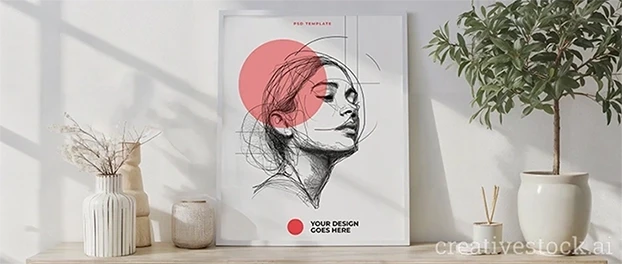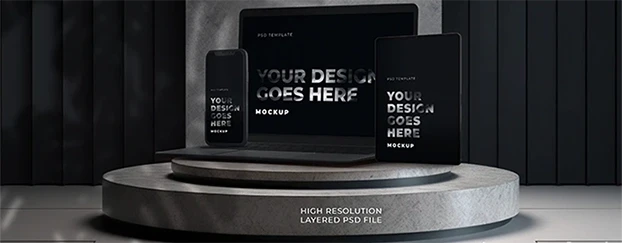
If your files look like a digital attic and your feedback cycles feel like a hostage situation, you don’t need “inspiration.” You need design workflow optimization - structural upgrades that make work faster, clearer, and profitable. Clients don’t leave because your color palette is wrong; they leave because your process is slow, opaque, and hard to approve. The fix isn’t more hours - it’s fewer points of friction. And yes, speed matters when quality holds. That’s the whole point of using high-quality, ready-to-adjust assets and mockups as your starting line instead of a blank canvas: you get pro results without reinventing the wheel every time. That’s not cheating; that’s adulthood.
The “craft” excuse is covering up chaos
I’ve heard every sermon about “good work takes time.” True - but not waste. Most “slow” isn’t craftsmanship; it’s chaos:
- Vague briefs → six rounds of aimless iteration
- Files named v3-FINAL-FINAL-please-use-this-one.psd
- Feedback across 14 Slack threads and one mystery Loom
- “We’ll mock it up later” (translation: we’ll hope for blind approval)
This isn’t romantic; it’s operational debt. If you want design efficiency, you don’t ask for more hours - you reduce the places time gets torched. (For the bigger mindset shift behind this, see Instant Design.)
Stop starting from zero. Use a pro template/mockup as your base and iterate like a grown-up.
Where slow creeps in (and how to crush it)
1) Intake: your brief is a wish, not a spec
If the brief doesn’t state goals, constraints, audience, deliverables, and examples of “right vs. wrong,” your timeline is already bleeding. Make a 15-minute discovery form with mandatory fields and a “three references” rule. You’ll optimize design workflow before you even open Figma.
2) Exploration: your moodboards are a museum
Timebox exploration to one focused hour. Curate five routes, not fifty. Use faster design systems - tokenized color/text styles and components, so exploration doesn’t nuke production.
3) Production: your files are a haunted house
Organize layers, use components, name things like someone else will open the file (because they will). Build a “Good Enough to Ship” checklist covering contrast, hierarchy, spacing, and accessibility. Welcome to productive design processes.
4) Mockups: you still DIY everything
Use ready-to-use templates and high-resolution mockups so clients see the idea in their world instantly - packaging on shelf, UI on phone, poster on wall.
5) Feedback: your loop is a loop-de-loop
Set rules: one async round on copy, one on layout, one on polish. Enforce consolidated comments in a single place, with owners and due dates. No “quick thoughts” after sign-off.
The 9-asset stack that makes you look superhuman
You want modern workflow optimization for designers? Build a stack that removes thinking where thinking isn’t creative:
- Brief template with hard constraints and reference do’s/don’ts
- Design tokens for color/typography/spacing
- Component library with responsive variants
- Grid + spacing system (and yes, use it)
- Accessibility checklist (contrast, keyboard nav, alt copy)
- Naming convention that reads like English
- Mockup library for devices, print, apparel, packaging, OOH
- Presentation deck template (cover → problem → solution → mocks → next steps)
- Handoff kit (export specs, assets, usage notes)
When your base kit is solid, you’re not “rushing” - you’re speeding up creative processes without sacrificing judgment. That’s the difference between fast-and-sloppy vs. fast-and-senior.
The 30/30/40 rule
To optimize design workflow, split time where it matters:
- 30% Discovery & Direction: nailing brief, constraints, references
- 30% Design & Development: tokens, components, layout, content
- 40% Communication & Proof: mockups, rationale, revisions, handoff
Most designers spend 70% in “make pretty” and 0% proving value. Then they wonder why clients nitpick. Show impact early with realistic mocks and focused rationale. Clients approve what they understand.
Metrics that end opinion wars
Track what moves the needle:
- Time to first presentable concept (target: <48h for most projects)
- Revisions per milestone (target: ≤2 with a tight brief)
- Decision latency (time from feedback request to response)
- Asset reuse rate (components/templates/mockups)
- Throughput per week (shipped, not started)
When numbers move, arguments stop. And the fastest way to move those numbers? Start from pre-vetted, high-resolution mockups and customizable templates so you’re advancing ideas - not administrating files. If you need proof that better, faster design operations drive business results, see McKinsey’s research on the business value of design - top-quartile design performers grow revenue and shareholder returns significantly faster than peers.
Workflow mistakes designers make (and how to fix them)
Mistake: “We’ll figure out usage later.”
Fix: Define channels and sizes in the brief; design once, export many.
Mistake: “I’ll mock it up after approvals.”
Fix: Show context before approvals. Stakeholders approve what they can see.
Mistake: “Every project is unique.”
Fix: 80% isn’t. Systematize the 80 so you can lavish craft on the 20.
Mistake: “Feedback is late, I’ll wait.”
Fix: Set decision SLAs, track decision latency, and ship context-rich drafts to reduce back-and-forth.
Mistake: “I don’t use templates; I’m a purist.”
Fix: You’re a bottleneck. Templates and mockups aren’t ideas - they’re accelerators.
FAQ
How do I optimize design workflow without losing quality?
Standardize briefs, use tokens/components, and present in realistic mockups before approval. You’ll cut rounds without hurting craft.
What workflow mistakes slow designers down the most?
Undefined specs, no context (no mockups), scattered feedback. Consolidate comments, timebox exploration, and reuse assets.
How can I speed up creative processes when clients delay decisions?
Set decision SLAs, track decision latency, and send context-rich drafts so stakeholders can approve faster.

Your 7-day optimization sprint
Day 1: Rewrite your brief template with must-haves, reference do/don’t, and usage map.
Day 2: Tokenize typography and color; clean your component library.
Day 3: Build a “Good Enough to Ship” checklist and bake it into your file header.
Day 4: Assemble a mockup pack (devices, packaging, apparel, print, OOH).
Day 5: Create a 10-slide presentation template (problem → solution → context → next steps).
Day 6: Pick two metrics (time to first concept, revisions per milestone). Start tracking.
Day 7: Run one project end-to-end with your new flow. Compare metrics. Iterate.
Final word
I’m not saying be a machine. I’m saying stop worshipping friction. Optimize the workflow so your taste, not your timelines, defines your value. Then go be brilliant - and if you actually like billing hours that reflect your impact, see pricing and put structure behind the speed.