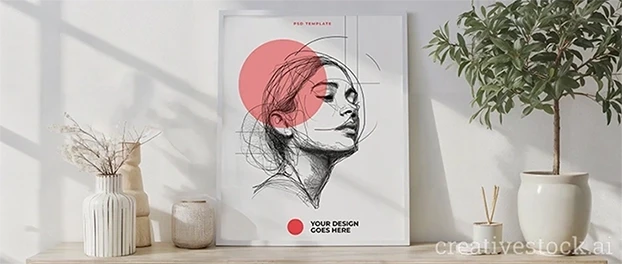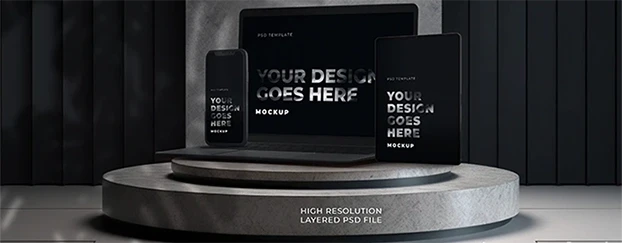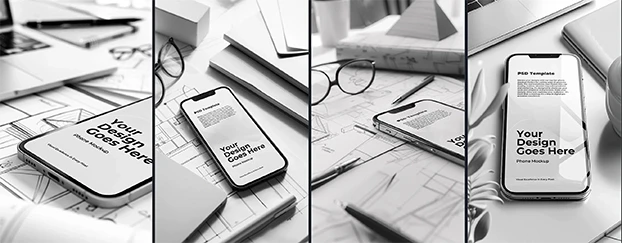
I didn’t “optimize” our stack. I nuked it. Call it what it is: design tool consolidation. Five tabs, five logins, five ways for one asset to go missing - gone. Creative Stock stepped in, and suddenly the team shipped more, argued less, and actually remembered where the latest banner lived. Not “innovation theater.” Just fewer places for work to die. If you want the philosophy behind it, start with Creative Stock is not magic - it just works.
Let me paint the before: exports in one app, resizing in another, mockups in a third, plus a folder zoo and some mystery extension that only Kyle installed. Feedback scattered in DMs, version names that look like license plates, and a weekly retro where we pretend the chaos is “agile.” We weren’t slow because we’re untalented. We were slow because our design workflow tools didn’t talk to each other, and every context switch taxed the brain more than a bad brief (see this research on context switching and team productivity). That cognitive toll is real: attention splinters, errors creep in, reviews drag on.
Then we collapsed the circus into one tent. With Creative Stock, the all-in-one design platform becomes the center of gravity: mockups, templates, brand-ready components, and export flows that don’t require a PhD or a sacrificial coffee. It’s the rare design productivity tools move where you get both speed and quality - without introducing yet another shiny object that needs a three-hour onboarding. If you want a zero-risk test drive, grab something from free mockups and templates.
What Design Tool Consolidation Removed From Our Workflow
- Hunting for assets: The Creative Stock workflow keeps templates and mockups where we actually work, not buried in drive abyss. When a print deliverable lands, I pull a scene straight from print materials mockups and move on.
- Duplicate resizing: One place to adapt sizes, maintain ratios, and avoid the 1-pixel drift that makes your eye twitch.
- Manual mockups: Drop the design, preview in context, ship. Realistic, consistent, and - brace yourself - repeatable.
The net effect: design team efficiency you can feel in the calendar. Fewer status meetings, fewer “quick questions,” fewer deliverables slipping because someone was formatting social crops in the wrong file at 6:47 PM.
The “All-in-One” That Doesn’t Fight Back
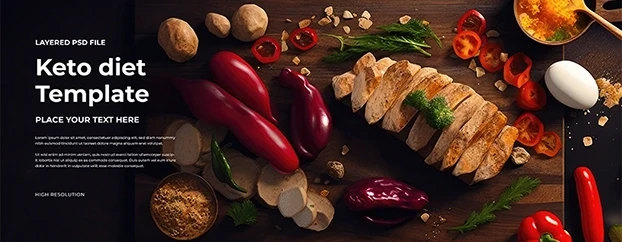
I’m allergic to platforms that promise the moon and deliver a control panel from 2009. Creative Stock is the opposite: templates and mockups you can actually tweak without breaking, plus sensible defaults so junior designers don’t wander into the weeds. You get AI design workflow acceleration, but the outputs look human - clean edges, believable lighting, and brand-safe composition. Need campaign starters that won’t collapse under real deadlines? Try headers & banners templates, or stress-test product visuals with a real-world starter like the High-Protein Diet Food template.
This is how to replace multiple design tools with one platform without wrecking taste: centralize the grunt work (mockups, sizes, exports), keep creative judgment where it belongs (within the team), and remove all the trapdoors (file hunts, plugin roulette, format drama).
Before vs. After: Design Tool Consolidation for Teams
Before: five tools, five vendors, overlapping features, and a licensing spreadsheet that aged me a decade. Onboarding a new designer meant a scavenger hunt and three days of “Where do we keep phone frames?”
After: one contract, one training doc, one visual language. The team focuses on intent: campaigns, messages, variants. Output doesn’t just happen faster; it gets more consistent. If you need a hard proof point, read how Creative Stock cuts work time from 3 days to 3 minutes.
We measured it. Turnaround on standard deliverables (hero banners, IG carousels, product mockups) dropped 30–50%. Revisions went down because previews looked like the final thing. Stakeholders stopped asking for “one more version” because they could see in-context options early.

A Playbook You Can Steal (Please Do)
- Name your top five recurring deliverables. If “website hero,” “email header,” “IG Reels cover,” and “packaging mockup” keep showing up, template them once in Creative Stock.
- Codify brand constraints. Lock the non-negotiables (logo safe areas, color tokens, type scales). Let the rest breathe.
- Centralize mockups. Build a ready-made library - devices, print, packaging.
- Automate resizing/exporting. Cut the tab-switching, kill the “did you export for 2x?” dance.
- Front-load context previews. Share in-context visuals on day one. Approval cycles shrink because nobody’s guessing how the design lives in the real world.
Congrats: you just executed an all-in-one AI design workflow for teams without a six-month migration project.
Common Pushback (And Why It’s Wrong)
“We need specialized tools for pro work.” Sure - for edge cases. But 80% of weekly output is repeatable. Put that on rails. Save your exotic tools for the 20% that actually requires them.
“All-in-one platforms make everything look the same.” Only if you let them. Templates should be guardrails, not a cage. We treat Creative Stock as a starting point, not the finish line. The result: consistent and distinct.
“We’ll lose creative freedom.” Freedom isn’t clicking through eight menus to export a PNG. Freedom is spending time on the big idea and testing five strong variations before lunch.
Team Reality: Less Friction, More Throughput
Here’s where the rubber meets the road for Creative Stock for design teams:
- Fewer handoffs. Copy, design, and marketing can all preview the thing where it lives.
- Smarter iteration. Variant testing is trivial when scenes, sizes, and exports aren’t handcrafted each time.
- Cleaner QA. Consistent mockups and exports mean fewer “why does the mobile crop look off?” panics.
- Happier seniors. I spend my time fixing stories, not file names.
You want speeding up design workflows in teams? Start by removing the glue work. You want reducing design software stack? Kill overlapping feature sets and the time tax they bring.
What Consolidation Unlocks Strategically
- Brand cohesion at scale. Every touchpoint, same visual DNA - without policing every pixel.
- Faster campaign cycles. Less time staging assets, more time pressure-testing concepts.
- Better resourcing. When the routine is automated, seniors focus on problems that matter; juniors deliver more value sooner.
- Room for experimentation. The minutes you save per deliverable add up - suddenly A/B testing isn’t a luxury, it’s standard operating procedure.
This is the quiet superpower of design tool consolidation: it doesn’t just make the current work faster; it creates time to make better work.

Getting Started Without Breaking Anything
Pilot with one squad for two sprints. Migrate only the high-frequency deliverables. Keep your edge-case tools in the wings. Document the wins in plain language: “We saved X hours,” “We shipped Y more variants,” “We cut approvals by Z days.” When the numbers hit, expansion sells itself. No speeches, no pep talks - just results.
And if you want a quick morale boost? Roll out a small pack of ready-to-use templates and one slick packaging mockup. Watch the backlog melt.
Final Word (From a Designer Who Hates Hype)
I don’t care about platform pageantry. I care about shipping great work without bleeding hours on admin. Creative Stock didn’t make us “innovative”; it made us effective. That’s the difference. Consolidate your stack, centralize your assets, and give your team a workflow that serves the craft instead of strangling it. When one tool replaces five and the quality goes up, you don’t need a case study - you need to keep going. Ready to formalize the rollout? See pricing.