I’ve been doing this for twenty years. I’ve watched “brilliant” designers drown in their own tabs while average Joes out-earned them by shipping on Tuesday. If you’re struggling with time, listen carefully. Designer productivity isn’t a mood; it’s an operating system. You don’t need another pastel-colored to-do app. You need constraints, scripts, and a calendar with teeth. Today, I’m handing you exactly that - no fluff, no guru fog. Use it and you’ll feel the fog lift before lunch.
1) The Latency Tax Is Stealing Your Paycheck
Most of you think your problem is “not enough time.” Wrong. Your problem is latency - the dead air between decisions. Opening Figma, hunting for a brief, pinging a copywriter, waiting for a font - each pause is a toll booth. Kill latency and speed appears.
Do this:
- Single Source Tray: One folder named
INBOX_TODAYthat holds only files you’ll touch today. If it’s not in there, it’s not getting done. - Decision Ladder: For every task, write the next physical action (“Place hero image,” “Export H1 variant”). Not “finish homepage.” Actions kill latency.
- Default Choices: Pre-pick your grid, type scale, and spacing tokens for the project. Choices made once don’t need to be remade. That’s designer workflow optimization in practice.
If the work slows, assume latency, not talent. Find the stall point and build a pre-choice to remove it tomorrow. For a wider market context on why velocity matters in the coming year, skim creative industry trends in 2026.
2) Calendar-First Design (Not Feelings-First)
You’re not a jazz trio; you’re a service business. Put creative time management on the calendar like a surgeon schedules an operation. Here’s the cadence:
AM BLOCK (90 min): Highest-leverage layout or concept. No meetings, no messages. Timer on.
MID CHECK (15 min): Screenshot, one-line summary, one question. Send. Back to work.
PM BLOCK (60–90 min): Refinements and packaging.
ADMIN (30 min): Estimates, invoices, file hygiene.
If you feel “uncreative” during your AM block, congratulations - you’ve just met discipline. Work anyway. Creativity shows up for people who are already moving. If you want a concise primer on the method, read HBR’s take on how timeboxing works.
3) The Rule of Three Outcomes
Endless revisions are a symptom of fuzzy outcomes. Before you start, write three measurable outcomes in plain English:
- “Client can approve one of three header directions by 3pm.”
- “All mobile states exist for the onboarding flow.”
- “Handoff includes components and redlines, zero mystery layers.”
No outcome, no start. Outcomes are productive design systems in sentence form. They also give you permission to stop.
4) Design in Public, Explore in Private
Exploration is necessary. Just not on the client’s time. Split your work:
- Private Sandbox (30–45 min): Go nuts. Weird color, wild type.
- Public Track (the rest): Clean, named, shippable.
Document three sentences: what you tested, what won, what you’re committing to. That tiny narrative is a nuclear weapon against feedback chaos and a gift to efficiency for designers everywhere.
5) The 48-Minute Sprint + 12-Minute Reset
I don’t do pomodoro tomatoes. I do 48/12. Forty-eight minutes is long enough to make real progress, short enough to protect attention. Twelve minutes is for water, quick stretch, and a micro-retro: “What slowed me? What’s the next atomic action?”
Stack four of these and you will feel faster. This is one of those speed-focused design habits you adopt once and never give back.
6) Build a Designer OPS Manual (Yes, You)
You don’t need a 50-page SOP. You need a four-page “OPS Manual” you open every morning:
Page 1: Intake
Goals, audience, constraints, success metric.
One paragraph that defines “done” in client words.
Page 2: System
Grid, type scale, spacing tokens, color tokens, interactive states.
The three most common modules for this project (hero, feature, CTA).
Page 3: Output
Export presets, sizes, file naming, compression targets.
Handoff checklist (alt text, accessibility contrast, motion specs if needed).
Page 4: Comms
Update template: “Here’s the preferred option, here’s why, here are two constrained alternates. Pick by [time].”
Scope change script: “Happy to add X in Phase 2; impact: +2 days, +$Y.”
That’s it. You now own design workflow efficiency tips that actually ship work, not decorate Notion. If you’re wondering why standardization multiplies speed across teams, NN/g explains it well in content standards in design systems.
7) The Anti-Meeting Policy (Steal This Script)
If there’s no agenda, there’s no meeting. Here’s the script:
“To keep momentum, I’ll send a 3-minute video and a one-paragraph summary instead of a call. If we still need to talk, we’ll schedule 15 minutes with a decision list.”
This isn't rudeness; it’s modern productivity strategies for designers. You’re protecting the work from calendar glitter. The speed benefit of fewer, clearer options is also backed by choice overload research.
8) Templates That Don’t Look Like Templates
Templates aren’t cheating; they’re leverage. Build three jump-kits you reuse weekly:
- Hero System: 6 headline patterns, 3 media crops, 4 CTA styles.
- Ad Variants: A/B/C layouts with swappable copy and image slots; export presets ready.
- Packaging/Mockup Stack: Dielines, smart-objects, lighting presets, and a one-click “retouch pass.”
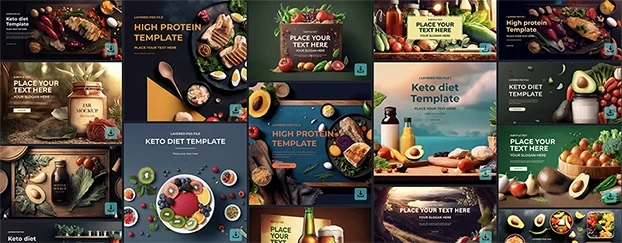
When a new project lands, you’re not “starting.” You’re selecting and customizing. That’s how how designers work faster stops being a question and becomes a reflex. If you want a fast head start, download free templates and adapt them into your own kit.
9) The One-Week Profit Model
Track these five numbers for one week:
- Deep hours (48/12 blocks counted),
- Deliverables shipped,
- Revision cycles per deliverable,
- Average decision latency (time waiting on the client),
- Admin time.
Your goal: increase deep hours by 20%, reduce revision cycles to ≤2, and cut latency with deadlines and defaults. Suddenly your margin improves without working later. This is designer productivity with a P&L attached. If you need modular assets to accelerate, audit and standardize your template library.
10) Friction Map: The Five Usual Suspects
When someone tells me they’re slow, it’s usually one of these:
- File sprawl: You don’t know where the truth lives. Fix: One project folder; three-file rule - Source, Sandbox, Delivery.
- Decision fog: Nobody agreed on “done.” Fix: Rule of Three Outcomes.
- Feedback soup: Ten opinions, zero direction. Fix: Preferred option + two constrained alternates.
- Tool tourism: New app every week. Fix: Standardize stack; prove minutes saved or it’s gone.
- Calendar holes: You “find time” instead of making time. Fix: AM/PM deep blocks, 48/12 rhythm.
Circle the one that hurts. Attack it for seven days. Rinse, move to the next. If pricing pressure is driving half your chaos, study these design pricing mistakes before you quote the next project.
11) Quality Control That Doesn’t Waste Time
Speed doesn’t excuse slop. Use a 10-Point QC you can run in three minutes:
Baseline grid adhered?
Text styles applied (no ad-hoc sizes)?
Contrast passes minimums?
Spacing tokens (8/12/16/24/32 etc.) honored?
Components named + variant logic clean?
Hover/focus states defined?
Export sizes correct?
Alt text drafted?
File renamed w/ date + version?
Readme updated with one-paragraph rationale?You’ll catch 95% of “oops” before anyone else sees them - and you’ll never lose an hour to pixel-polishing at 1am again.
12) Price the Outcome, Not the Drag
If you’re faster because you’ve built systems, stop charging like a slowpoke. Package by outcome: “Landing page with mobile states and analytics handoff.” Or “Full packaging set with three SKUs and retail mockups.” Your efficiency for designers shouldn’t punish your rate; it should multiply it. Speed is an asset; monetize it.
13) The 24-Hour Reset (When a Day Goes Sideways)
Bad day? Here’s the reset:
- Archive today’s
INBOX_TODAYintoINBOX_STALE.- Move only tomorrow’s top three outcomes into a new
INBOX_TODAY.- Schedule two 48/12 blocks and one client ping.
- Leave desk. Walk. No “catching up.” You’re not a punishment factory.
You need momentum, not martyrdom.
14) The Blunt Pep Talk You Didn’t Ask For
Time isn’t a vibe. Time is a budget. Talent without a budget is a hobby. The market in 2026 rewards designers who reduce latency, plan in blocks, and commit to decisions. You can keep believing your “best work” appears at 2am after seven mood boards, or you can accept that speed-focused design habits - boring, repeatable, relentless - are the difference between being perpetually “promising” and actually profitable.
Start with one thing today:
- Build the four-page OPS Manual,
- Adopt 48/12,
- Or enforce the Rule of Three Outcomes.
Pick one. Do it now. In a week you’ll move faster. In a month you’ll be calmer. In a quarter your portfolio will look like two designers did the work. That’s not magic. That’s designer workflow optimization done daily.
FAQ - Make It Crystal (No Excuses Edition)
1) “What exactly do I do tomorrow at 9:00 AM to start being productive - for real?”
Open your 4-page OPS Manual, createINBOX_TODAY, and write three concrete outcomes for the day. Work in 48/12 blocks: build, quick retro, repeat, then ship a noon check-in with one recommendation and two tight alternates. Protect an afternoon refinement block and finish with a 3-minute handoff summary. That’s designer productivity in motion - calendar-first, zero latency.2) “I’m fast, clients and teammates aren’t. How do I stay fast when the room is slow?”
Impose deadlines with defaults: “No feedback by 3pm = proceed with the recommended option.” Communicate asynchronously with short video + decision list, and lock components early so late changes have clear trade-offs. Present a decision menu (one preferred, two constrained) to cut revision loops. You’re optimizing the workflow, not being difficult.3) “Won’t speed make my work sloppy? How do I keep quality while moving this fast?”
Separate exploration (short sandbox) from delivery (clean public file) and run a 10-point QC in three minutes before every share. Aim for the 60/30/10 mix: components, tailoring, then intentional novelty where it actually moves the goal. Track deliverables, revision rounds, and decision latency; if quality dips, tighten tokens or add a sandbox pass. Speed-focused design habits sharpen craft because they remove chaos, not care.
Conclusion - Ship Faster, Charge Smarter
You don’t need another app; you need a spine and a schedule. Timeboxed deep work, the Rule of Three Outcomes, and a ruthless OPS manual turn “someday” into shipped by Tuesday - and that’s what clients actually pay for. If you’re finally operating like a pro, stop pricing like a hobbyist and align your rates with the speed and reliability you now deliver - start here: CreativeStock.ai pricing. Now close your tabs, block tomorrow’s AM session, and prove, again, that momentum beats mood boards.