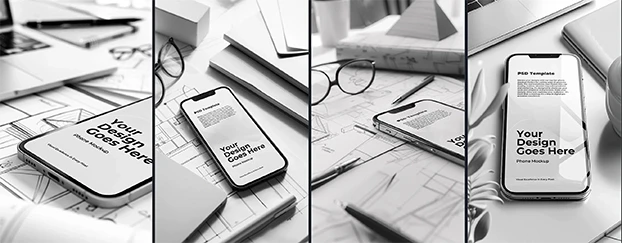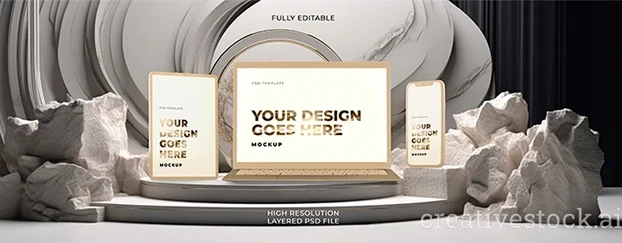
Let’s skip the pleasantries: if your preview still looks like a Behance mood board from 2014, you’re leaking conversions. In 2026, photorealistic mockups are the baseline. Clients expect fingerprints on glass, subtle lens halation, creases that behave like real fabric. If your deck doesn’t read like it was shot in a slightly messy studio on a Tuesday afternoon, it gets ignored. That’s the “realistic or nothing” bar - and yes, it’s high on purpose.
Stakeholders don’t buy design; they buy certainty. As NN/g explains, high-fidelity prototypes increase realism and alignment by bringing visuals, interaction, and content closer to the final product - exactly the kind of fidelity that reduces debate and accelerates decisions.
With production-grade mockups, PMs stop imagining and start signing. The tighter your mockup realism, the less creative oxygen you waste defending obvious choices (materials, lighting, scale). Realism is the signal; everything else is noise.
Why Realism Wins: Trust, Speed, Signal
A believable mockup equals a believable product. True-to-life previews collapse the gap between “concept” and “how it will actually look.” Fewer rounds, faster approvals, fewer passive-aggressive comments about “sad shadows.” Welcome to realism season.
The Anatomy of a Photoreal Mockup (No, It’s Not a Drop Shadow)
If you want true photoreal mockup effects, your scene needs physics, not filters:
- Material-correct deformation: Paper bends, jersey stretches, canvas resists. If your logo floats, we notice.
- Edge bloom & micro-highlights: Real edges catch light and fall off. Subtle, but critical.
- Optical behavior: A hint of chromatic aberration and sensor noise beats sprayed “film grain.”
- Contact shadows that actually touch: Surfaces occlude. Respect ambient occlusion.
- Environment-aware reflections: Metal without an environment is a gray tube.
- Human scale cues: Fingertip oil, stitch variance, minute scuffs - imperfection sells reality.
If you’re pressure-testing labels, varnishes, and foils, start with specialized packaging mockups so your substrate behavior is believable from minute one.
2026 Standards: What “Good” Looks Like Now
- One-to-one color discipline: Cotton ≠ ABS ≠ coated stock. Calibrate curves per substrate.
- Context-first composition: If it lives in a hand, show a hand. If it lives outdoors, show atmosphere.
- Lens realism over UI neatness: Orthographic views sanitize desire. Commit to focal lengths and depth.
- Cohesion across frames: Same light temp, grain model, and focal family across the deck.
Before you present outdoor placements, sanity-check with a big-format hero - e.g., a city scene or a full-size billboard. If you want a fast barometer for scale and light behavior, try a production-ready scene like the Festive Event AI Billboard mockup to see whether your art holds up at distance and under ambient glare.
Photoreal Techniques That Actually Move the Needle
- Normal + roughness blending: Control specular breakup for soft-touch and frosted finishes.
- Depth-graded grain: Far planes carry slightly more visible noise; near planes, slightly less.
- Spectral highlights for metals: Specular inherits environment color - cool windows for aluminum, warm bounce for brass.
- Edge-wear masks: Micro-abrasions at 3–8% opacity; if you can “see” them, you overdid it.
- Subsurface cues: Fabrics (and skin) need faint light bleed to avoid plasticity.

The Buyer’s Checklist for Realistic Presentation Assets
Hunting the best photorealistic mockups 2026? Judge like a cranky art director:
- Scene variety with consistent realism (angles, same light logic).
- Material families (paper/fabric/plastic variants of the same setup).
- Humanized imperfections baked in (reducible, not paint-on).
- Editable, sane layer structure (swap art in seconds).
- Resolution headroom (6K+ so crops survive).
- Clear licensing (no midnight email chains before launch).
How to Make Mockups Look Realistic (Fast)
Here’s the six-point routine I run on every deliverable - five minutes, zero excuses:
- Anchor the light: Pick a time of day and lock it deck-wide.
- Match the lens: Commit to a focal length family - no Frankenstein slides.
- Tune material truth: Roughness/spec/gloss per substrate; verify brand color per material.
- Add life: Micro-scuffs, lint, fingerprints - tasteful, barely there.
- Unify the noise: One grain model, obeying depth.
- Fix the edges: Occlusion, bloom, and contact shadows that actually touch.
If you’re onboarding juniors, start them on a curated set of realistic presentation assets and let them prove consistency on two scenes before you unleash them on the whole deck. And yes, give them a sandbox of free mockups so they can practice without wrecking your paid license count.
Realism Pass - Production Checklist (Print This)
- Lighting direction chosen and consistent across frames
- Focal length family locked (hero + details)
- Material response tuned (paper/fabric/plastic/metal)
- Environment reflections present where relevant
- Depth-aware grain applied
- Edge bloom/halation subtly present on highlights
- Contact shadows grounded; AO checked at all touch points
- Color verified per substrate (brand blacks, metallic inks, varnishes)
Do / Don’t: Mockup Realism Standards
Lighting & Metals
Do: Use HDRI or believable room lighting for metals and glass.
Don’t: Render metals with flat gray “nothing” reflections.
Color Discipline
Do: Calibrate color per substrate.
Don’t: Assume RGB mockup equals print/cloth color.
Imperfections
Do: Keep imperfections micro and layered.
Don’t: Spray obvious dust/scratches like a filter.
Lens Continuity
Do: Maintain lens continuity across the deck.
Don’t: Mix orthographic, ultra-wide, and telephoto randomly.