1) From idea to first preview—measured in minutes
The biggest shift is pace. Ideation sprints that once took an afternoon now take a coffee break. With AI design tools, you can generate multiple explorations and instantly see how they behave in the real world - on a phone, a poster, a package - before you polish a single pixel. That context is what converts stakeholders: people align faster when they see the design where it lives.
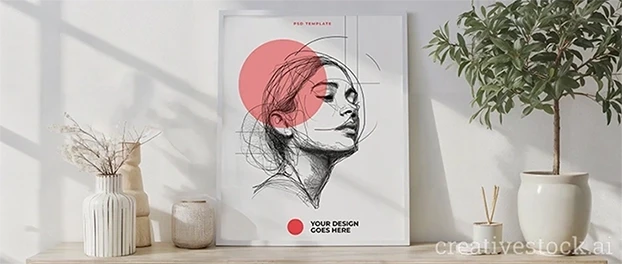
- Validate direction in minutes using the AI mockups library. Drop your artwork into device frames, packaging scenes, apparel, print, and more to compare angles and crops.
- Already know the asset type or industry? Use visual search & filters to surface relevant mockups and ready-to-use templates without falling down a browsing rabbit hole.
When you need a trend pulse to inform moodboards - typography, gradient language, 3D depth, tactile textures - this guide is a solid sanity check: Adobe: Design Trends 2025. Treat trends as hypothesis fuel, not commandments.
Tip: Commit to one contextual preview before finessing details. It reduces subjective debates and saves hours of polishing the wrong direction.
2) Brand consistency without the busywork
Consistency scales when your system does the heavy lifting. Modern AI branding tools read your brand kit (palette, type, voice) and generate channel-specific assets that actually stick to standards. You keep the taste; the machine handles the repetition.
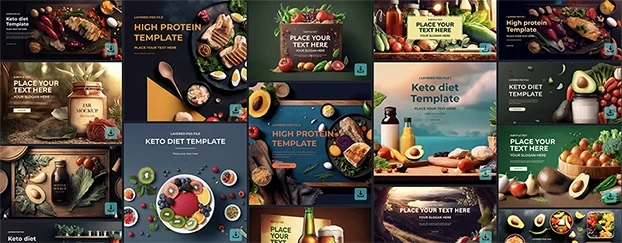
- Build a living library with the AI templates collection. Start with social posts, ads, and landing modules, then refine for each campaign archetype.
- Need above-the-fold speed? Explore Header & Banner templates to test hero imagery and headlines before you commit copy length or art direction.
This is where customizable templates shine: your team gets aligned building blocks, and you still have room for craft. Pair them with a light editorial pass to keep tone and hierarchy on-brand.
3) No-photoshoot mockups: believable context at scale
Photoshoots are powerful - but they’re not always practical. In 2025, no-photoshoot mockup creation is standard. With premium mockups, you stress-test stories across environments without booking studios, models, or props. That means faster experiments and fewer expensive reshoots.
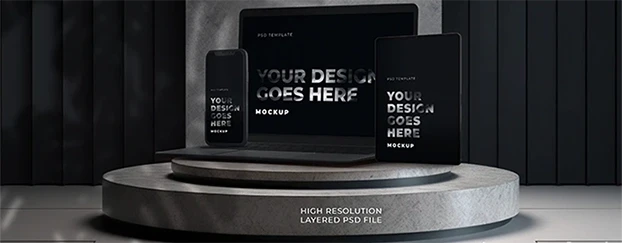
- Digital product and SaaS teams can validate UI frames, hero states, and launch visuals using Devices & Tech mockups.
- CPG, DTC, and F&B brands can pressure-test label clarity and shelf impact with Packaging mockups to confirm legibility at real sizes.
If you’re new to this flow, treat your mockup stack like a design lab: run the same visual in studio, lifestyle, and in-use scenes and compare engagement. The winner is often context, not aesthetics.

4) Data-backed creative: A/B testing becomes a habit
The leap from “looks good” to “works better” happens when you connect generation to measurement. A practical loop for 2025 looks like this: define a hypothesis (shorter copy vs. feature-led; product alone vs. in-hand), produce variants, preview in realistic scenes, then run a limited A/B.
- Remove procurement friction and start small with Free mockups & templates. Test hooks, crops, colorways, and compositions for 48–72 hours before committing production time.
This time-saving design workflow compresses feedback and moves decisions out of preference wars and into data. Archive your findings inside your template library so next quarter starts from knowledge, not guesswork.
5) Ethics, licensing, and the human-in-the-loop safeguard
AI extends capacity; it does not replace judgment. Keep provenance, licensing, and cultural context front-and-center. Your “human check” should include brand voice, accessibility (contrast, type size, motion), and legal review - especially for generated imagery and third-party elements.
For a complementary overview of AI’s role in the craft and process, skim Bluehost: AI in Graphic Design. The practical takeaway remains steady: pair machine speed with human standards.
To keep work moving, align access and credits early via Pricing & plans so everyone has the right seats and asset limits. It prevents last-mile delays when you need to export finals.
6) A practical 2025 playbook you can run this week
- Start with context, not a blank page. Open the AI mockups library and pick a scene that tells the story your stakeholder cares about.
- Systematize by channel. Build campaign-type folders in the AI templates collection (acquisition ads, product drops, seasonal promos, lifecycle emails).
- Win the hero first. Iterate headline/visual pairs from Header & Banner templates and preview above-the-fold on common device sizes.
- Ship credible product frames. Validate screenshots and UI states inside Devices & Tech mockups to avoid flat, out-of-context visuals.
- Pressure-test packaging before print. Check readability, color harmony, and hierarchy with Packaging mockups at real-world scales.
- Prototype with zero friction. Kick off experiments using Free mockups & templates and promote only what resonates.
- Find assets faster. When stuck, rely on visual search & filters to narrow by industry, format, or mood instead of scrolling.
- Keep procurement out of the critical path. Set limits and credits via Pricing & plans so designers aren’t blocked during crunch.

Conclusion
The headline from early 2025 holds: AI gives creative teams time back. What’s different now is how confidently you can connect exploration to outcome - generate, preview in context, measure, and ship. Treat AI graphic design as an amplifier for your taste and standards: use it to create informed options quickly, use mockups to put ideas where they’ll live, and use data to close the loop. Do that consistently and you’ll move from “good ideas on slides” to launches that land - without burning weekends.
Start today with a focused sprint. Build a three-variant hero in AI templates, preview it in AI mockups, and run a 72-hour test. When a winner emerges, scale the look across channels via your template library - and keep the engine running from the CreativeStock marketplace.